TikPilot
Features For singers Panel tour AI Studio Pricing Leagues User Search
TREN
Explore the panel
For TikTok LIVE creators & agencies

Put your LIVE on autopilot.

TikPilot Mod keeps your chat clean while gift-powered games, song requests, chat read-aloud, stream reports and AI video all run from one panel. You focus on your viewers — TikPilot handles the rest.

See pricing
  • No TikTok password needed
  • TikPilot Mod works even with your computer off
  • Adds to OBS with a single link
Sample data LIVE — viewers

Welcome back 👋

Sign in and pick up right where you left off.

Forgot password?

By continuing, you agree to our Terms of Service and Privacy Policy.

49LIVE games and stream tools
52languages for chat read-aloud
5 · 15 · 40accounts in Supporter / Agency plans
9:16vertical AI videos, ready for TikTok
What you get

Everything your LIVE needs

One panel, one subscription. Moderation that protects your chat, games that pull viewers in, read-aloud and a report for every LIVE — all switched on the moment you go live.

🛡️ TikPilot Mod

Profanity and spam get muted before they derail your LIVE

Your rules catch profanity, insults and spam within seconds, and TikPilot Mod reads what a message means to catch what word lists miss. A short warning first, your rule's mute if it happens again, and muted until the LIVE ends if they keep going — all automatic, with every decision in your moderation log.

  • Catches disguised spellings too — swapped letters, dots, spaces
  • Your own banned words, spam and repeated-message limits
  • You, your moderators and anyone on your exempt list are never muted
Pro and up📱 Works when you stream from your phone
Sample data
LIVEYour LIVE chat
TikPilot Mod is on
🎮 49 LIVE games

Viewers join with a comment and swing the game with gifts

PK team battle, wheel of fortune, giveaway, trivia, country race, boss fight, gift printer and more — 49 games and stream tools. Viewers join by typing a team name in chat, every gift adds its coin value in points, and likes count too. You choose the timer, the teams and the final-minute multiplier.

  • Adds to OBS or TikTok LIVE Studio with one link
  • Test it before you go live with simulated viewers
  • Team names, timer and final-minute multiplier (x2, x3, x5)
See all games →
Starter and up🖥️ Shows on stream via OBS or LIVE Studio
Sample data
⚔️ PK Team Battle05:00
Pink0
Blue0
💬 Pick a team: type a or b in chat
🪗 HalayNew🚗 Wedding ConvoyNew🪩 Night ClubNew 🪕 Sira NightNew🐸 Jump TowerNew 🔔 On-Screen AlertsNew💬 Chat BoxNew🎯 Goal BarNew🎆 FireworksNew ⚽ Penalty Shootout🗺️ Territory War🏁 Marble Race🎰 Plinko 🍉 Suika Tower🔤 Word Hunt📦 Lucky Boxes🥊 Avatar Arena +32 more games
Sample data
🔊 Reading aloud in OBS
🔊 Chat read-aloud

Hear your chat out loud and reply without looking away

Voices in 52 languages. Read out everyone, only viewers above a gift or team level, only subscribers or only moderators — with or without usernames, at the speed you like. Profane and muted messages are never read.

Starter and up📱 On a phone: open the read-aloud link on a second device
Sample data
    📊 Stream reports

    Know exactly how every LIVE went

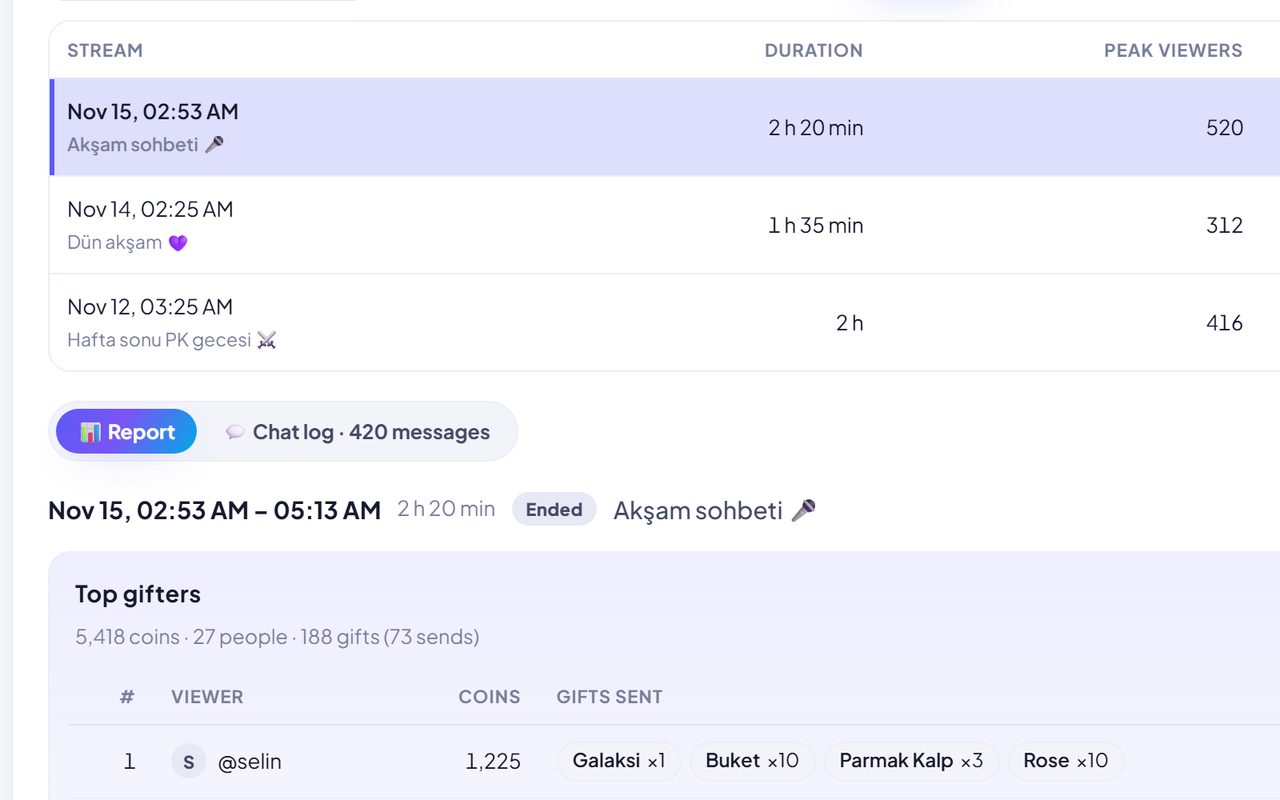
    Top gifters and what they sent, viewer and coin charts, top chatters, new followers, a PK summary and moderation — ready the moment you end the LIVE, with a short summary in your inbox.

    Pro and up📱 Works when you stream from your phone
    Sample data
    🏢 Agency dashboard

    Supporters and agencies: every streamer on one screen

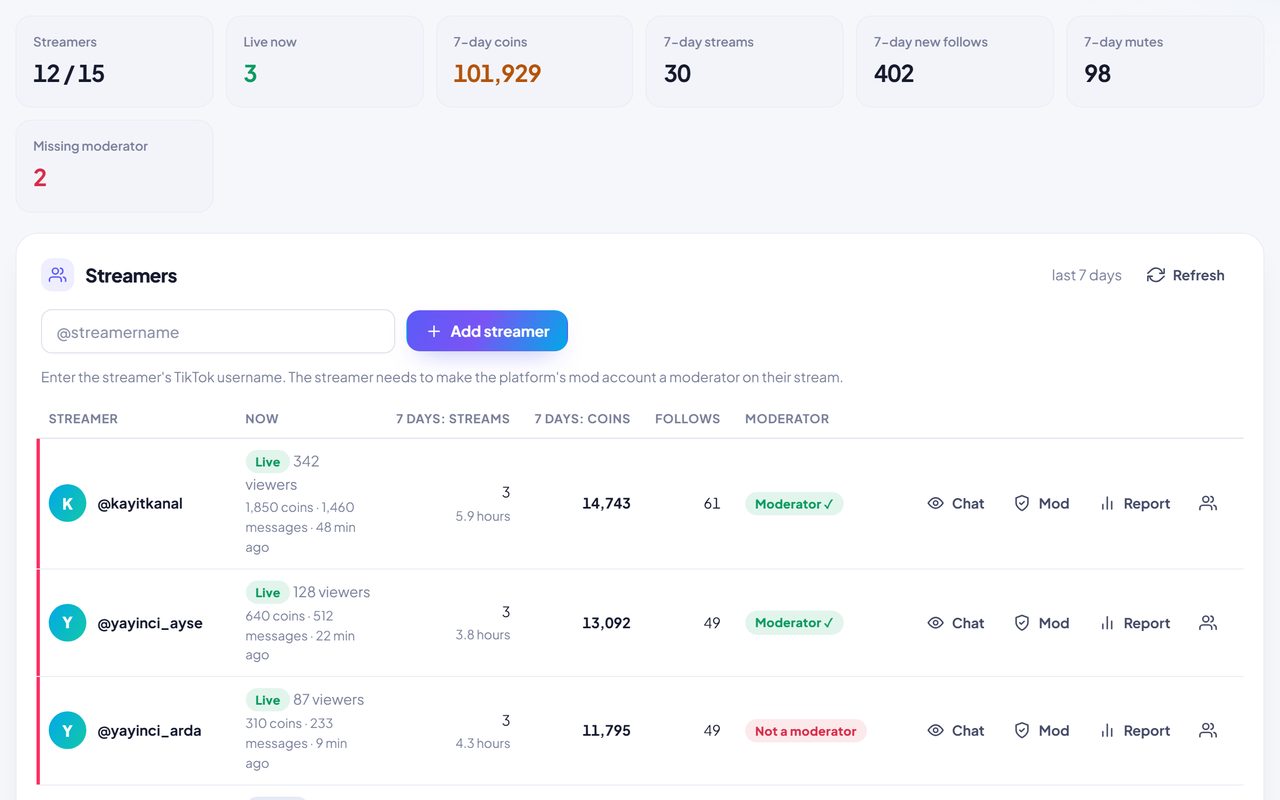
    See who's live right now, their viewers, coins and messages this LIVE, plus a 7-day summary of streams, coins, follows and mutes. Jump to any streamer's chat, mod settings or report in one click. Plans for 5, 15 or 40 accounts.

    Supporter / Agency📱 Works when you stream from your phone
    Read the agency guide →
    For music streamers

    Run song requests with gifts — you focus on the music

    Viewers type your request command in chat (you pick it, e.g. !request) and their song joins the queue. You decide what each gift does; dedications appear on stream and are read aloud, and votes let viewers pick what's next.

    🎤 Singer mode · Pro and up · uses no credits

    📱 Requests, dedications and votes work on a phone · 🖥️ on-screen cards need OBS

    Sample data
    🎶Request queue

    !request <song> drops the song into your queue — letter case and accents don't matter. You set the per-viewer limit and the queue length, and the queue is saved even if you restart.

    🎁Gift triggers

    For a specific gift or “any gift worth N+ coins”, choose what happens: bump up in queue, move to top, grant a request or a dedication, boost votes, count toward the song goal, or show a thank-you card.

    🎟️Paid requests and dedications

    Tie requests or dedications to a gift if you like: the gifter has 5 minutes to write one — or it goes in right away if they already did.

    💌Dedications

    Your dedication command (e.g. !dedicate <to / message>) shows on stream as a card and is read aloud in your channel's read-aloud voice.

    🗳️Votes

    Start a vote with 2–4 songs; viewers type 1, 2, 3 or 4 and gifts add vote power. The winning song goes to the top of the queue.

    🎯Song goal

    Set a goal like “5,000 coins for Scarborough Fair”; the bar fills on stream as gifts come in. Count every gift or only the ones you choose.

    📜Lyrics screen and song list

    Keep your song list in the panel with lyrics; the lyrics screen opens only for you and never goes on stream. Optionally accept requests from your list only.

    📊Which songs earned the most?

    Your reports and end-of-stream email show the songs that brought in the most coins.

    📺On-stream widgets

    Pick what to show with one link: queue, now singing, dedication, vote, goal and thank-you card (OBS / LIVE Studio).

    Phone or PC?

    Streaming from your phone? TikPilot still works

    Most of TikPilot runs on our servers, through TikTok. You only need a computer for the things viewers have to see on the stream image.

    📱

    Phone only

    Nothing extra needed
    • TikPilot Mod — make our mod account a moderator once
    • Live panel: chat, gifts, viewers
    • Stream reports and email summary
    • Agency / Supporter panel
    • Singer mode: requests, dedications, votes, goal — follow the queue and lyrics on a second screen
    • AI studio
    📱 + 💻

    Phone + a second device

    A tablet, laptop or old phone
    • Chat read-aloud
    • Dedications read aloud
    • Open the read-aloud link on the second device; your streaming phone's mic picks up its speaker
    🖥️

    Computer

    OBS or TikTok LIVE Studio
    • The 49 LIVE games
    • Singer mode widgets: queue, goal, vote, dedication
    • Thank-you cards and on-screen read-aloud captions
    • Links are added as a browser / link source
    Panel tour

    Take a look inside the panel

    This is how each module looks in your panel. Pick one on the left — every name and number on screen is sample data.

    Explore the full panel (sample data)

    tikpilot.app/Sample data
    Included in: 1.200Buy Credits

    Screens are simplified previews of the panel; accounts, names and numbers are sample data.

    ✨ AI STUDIO

    Let AI shoot your next video

    Write a sentence, upload a photo or record your voice — and get a vertical, TikTok-ready video in minutes. Thumbnails, voiceovers and music live in the same panel.

    240+video models
    560+AI models in total
    9:16vertical, TikTok-ready
    KlingVeoSeedanceHailuoViduWanPixVerseLuma

    Model names are trademarks of their respective owners. TikPilot is not affiliated with these companies and accesses the models through licensed APIs.

    Runs on credits: a monthly AI plan or one-time credit packs.

    Example prompt“Istanbul at night, rain, neon lights, cinematic”
    My new product is here ✨
    Going live tonight! 🎤
    Story time 📖

    These sample videos were generated with AI.

    ✍️Text to videoDescribe a scene and AI builds it.
    🖼️Photo to videoBring your photos to life.
    🎯Reference to videoKeep your character or product consistent in every shot.
    🎙️Audio to videoVideo that moves with your music or voice.
    🎞️Video to videoReshoot a clip in a whole new style.
    🎨Images, voice & musicThumbnails, voiceovers and music, all here too.
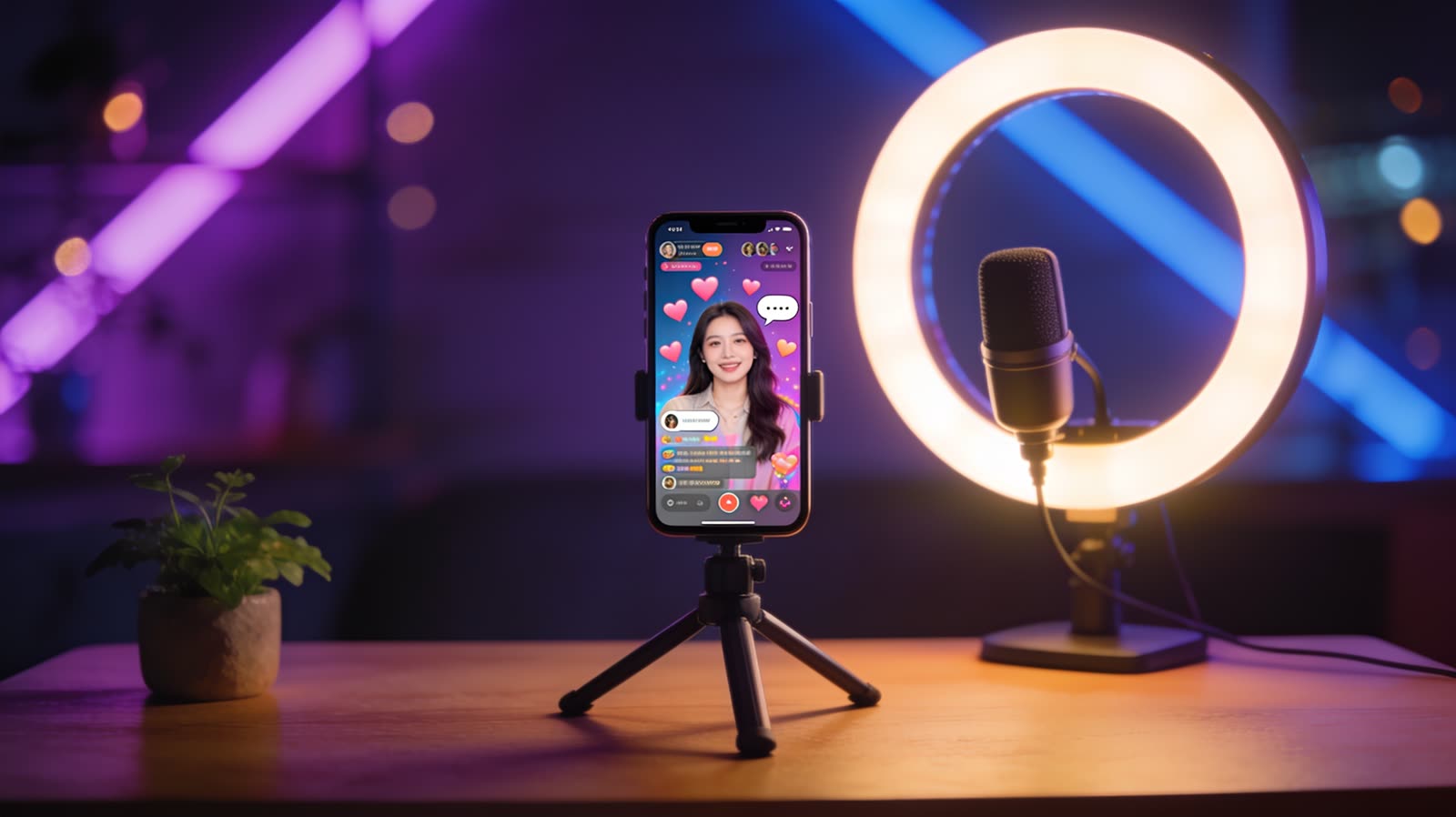
    A phone on a tripod streaming live, with a ring light and a microphone LIVE 🛡️ TikPilot Mod is on 🔊 Read-aloud is on
    How it works

    Live-ready in three steps

    1. Sign up and choose a planStarter or Pro for a single account — or a Supporter / Agency plan if you look after several creators.
    2. Add your TikTok usernameWe never ask for your password. Make TikPilot's mod account a moderator on your LIVE and auto-moderation is ready.
    3. Go liveTikPilot notices when you go live and gets straight to work. Add games and read-aloud to OBS with a single link.
    Agency guide

    Set up your agency in 5 steps

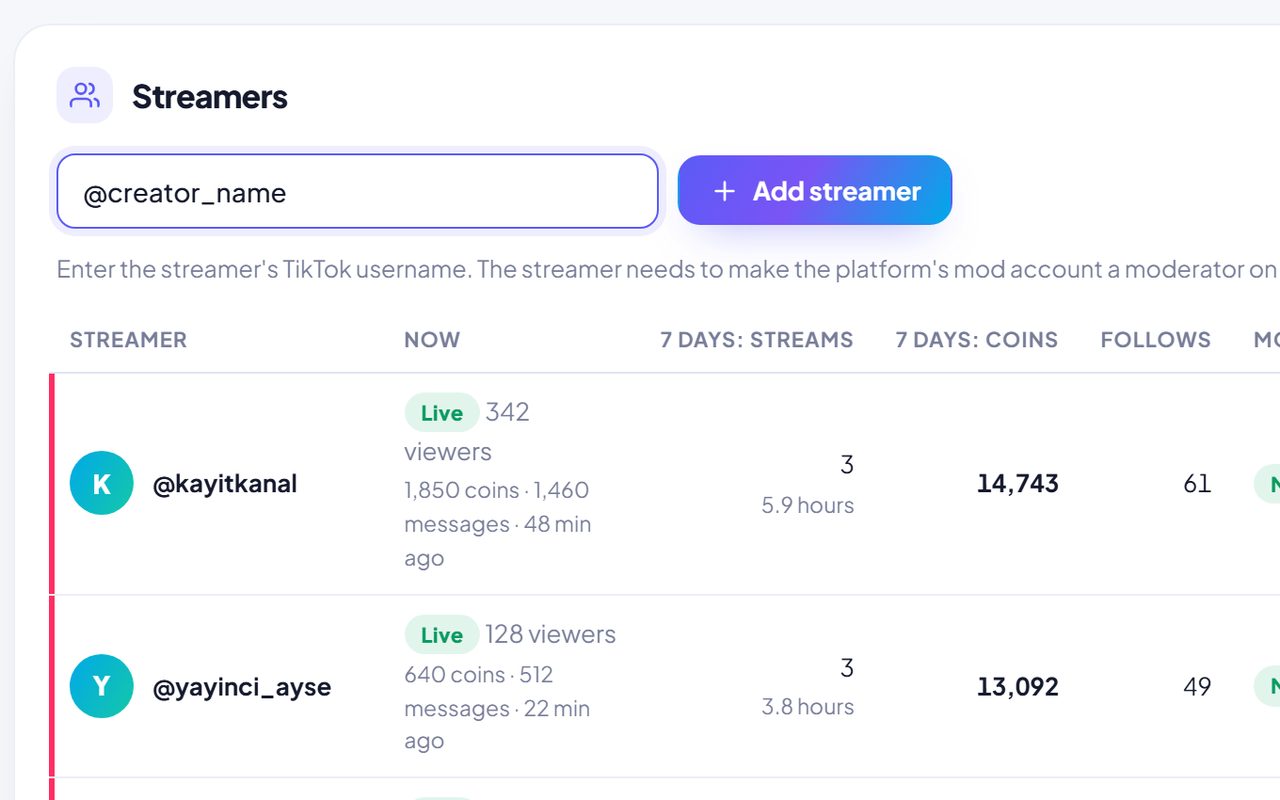
    You never need your streamers' passwords. Type the TikTok username and the panel shows the rest.

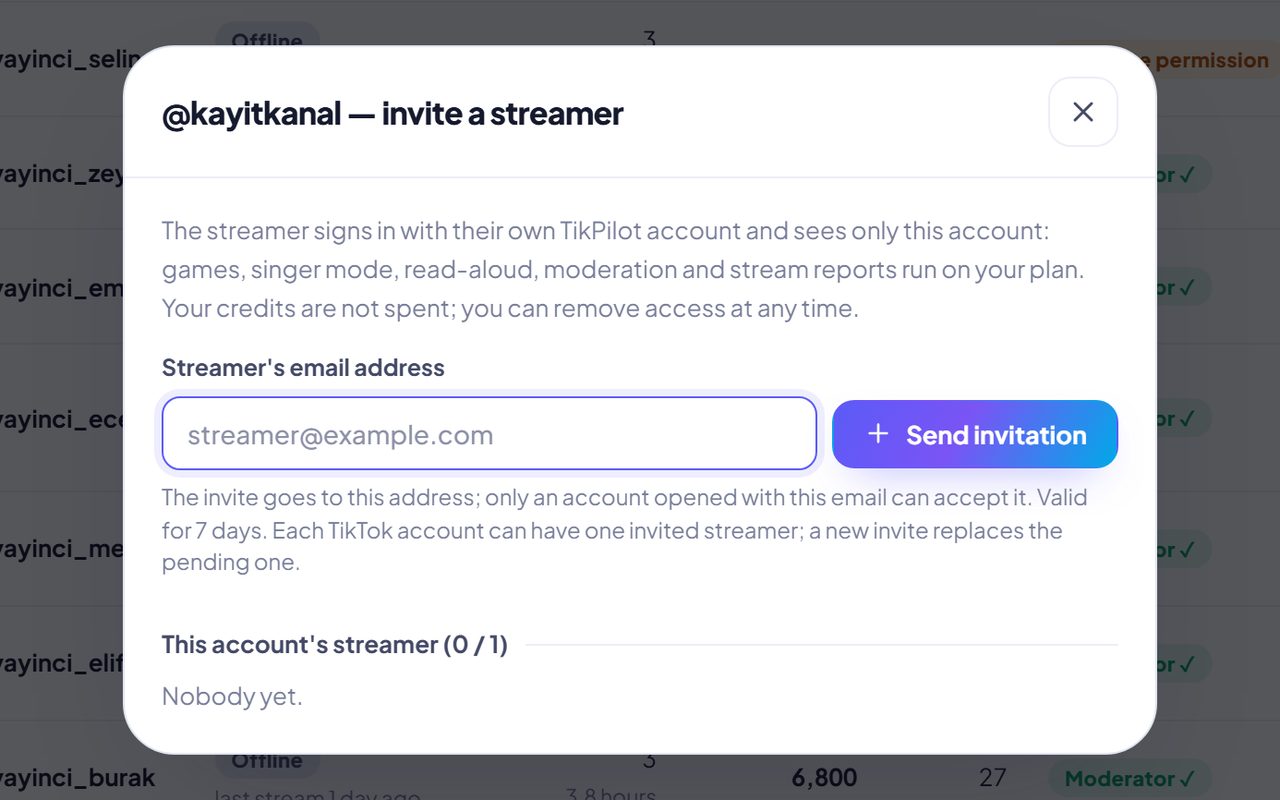
    The add-streamer box in the Agency panel
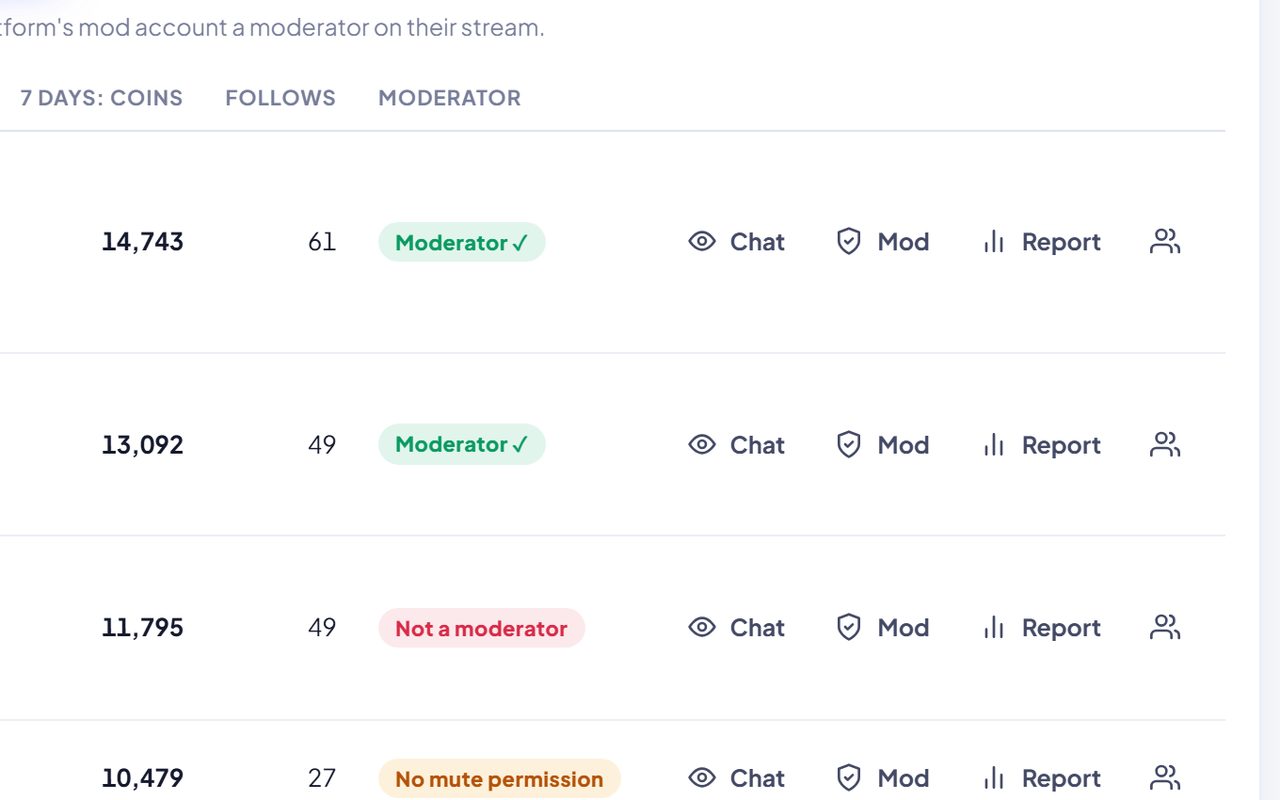
    The Moderator column and its badges in the streamer list
    Agency panel: summary tiles and the streamer list
    Stream Reports: the stream list and a report
    The invite-a-streamer window
    Open the full guideNine steps with pictures. Pictures were taken with sample accounts.
    Pricing

    Pick the plan that fits

    Starter covers read-aloud, LIVE games and overlays. Pro adds TikPilot Mod, singer mode and stream reports. AI content runs on credits, sold separately.

    What's in each plan?

    Click a module to see how it looks in the panel.

    ModuleStarterProSupporter / AgencyAgencyAI planAI
    TikTok accounts115 · 15 · 405–40—
    📱✓✓✓—
    📱+✓✓✓—
    🖥️✓✓✓—
    📱—✓✓—
    📱—✓✓—
    📱—✓✓—
    📱——✓—
    📱with creditswith creditswith credits✓

    📱 works when streaming from a phone · 📱+ with a second device · 🖥️ shows on stream via OBS / LIVE Studio

    AI content runs on credits — a monthly AI plan or one-time packs, available alongside any plan.

    Prices are in US dollars (USD); taxes may be added at checkout. You can cancel your subscription anytime.

    Good to know

    Frequently asked questions

    What TikPilot does, what you need and how setup works. Short answers.

    What is TikPilot?+

    TikPilot is a live stream assistant for TikTok LIVE creators and agencies. TikPilot Mod keeps chat clean, and gift-powered stream games, chat read-aloud, song requests, stream reports and AI video all run from one panel.

    How do I add games to my TikTok LIVE?+

    Pick a game in the panel and add the link you get to OBS or TikTok LIVE Studio as a browser source. Viewers join by typing a team name in chat, and gifts and likes turn into points. There are more than 40 games and stream tools, including PK team battle, wheel of fortune, giveaway, trivia, country race and boss fight.

    Do I need to share my TikTok password?+

    No. You only enter your TikTok username, and no password is asked.

    How can I block profanity and spam automatically on TikTok LIVE?+

    You set the rules. TikPilot Mod catches profanity, insults and spam within seconds, and you see every decision in your panel.

    I stream from my phone. Can I use TikPilot?+

    Yes. Moderation, the live panel, stream reports and the agency panel work with a phone alone. Chat read-aloud needs a second device, and on-screen games need a computer with OBS or TikTok LIVE Studio.

    Can chat messages be read aloud?+

    Yes, with voices in 52 languages. You can read out everyone, only subscribers, only moderators, or only viewers above a gift level. Profane and muted messages are never read.

    Does it work with OBS and TikTok LIVE Studio?+

    Yes. Games, On-Screen Alerts, the Chat Box, the Goal Bar and the PK Screen are each added with one link as a browser source.

    What do I get when a LIVE ends?+

    A report with top gifters, viewer and coin charts, top chatters, new followers, a PK summary and moderation decisions. It is ready the moment the LIVE ends, and a short summary arrives in your inbox.

    I run an agency. Can I watch all my streamers in one place?+

    Yes. Supporter and Agency plans cover 5, 15 or 40 accounts, and you see all your streamers on one screen. The agency guide shows the setup with pictures.

    I'm a singer. How do song requests work on stream?+

    Viewers type your request command in chat and their song joins the queue. You decide what each gift does. Dedications appear on stream and are read aloud, and viewers vote for the next song.

    See the step-by-step guides

    Ready for your next LIVE?

    Sign up in a minute, add your TikTok username and let TikPilot handle the rest.

    Sample data LIVE — viewers
    TikPilot

    The LIVE assistant for TikTok creators and agencies.

    Language
    TREN

    Features

    TikPilot Mod LIVE games Singer mode Chat read-aloud Stream reports AI studio Panel tour Phone or PC?

    Account

    Log in Sign up For agencies Agency guide Guides Pricing TikTok streamer leagues User Search

    Support

    [email protected] Terms of Service Acceptable Use Privacy Policy Refund Policy
    © 2026 TikPilot TikTok is a trademark of ByteDance Ltd. TikPilot is not affiliated with TikTok.
    TikPilot
    ?
    Free

    Destek: [email protected]

    Ana Sayfa
    0
    Bildirimler