Avatar Arena
Avatar Arena is a game played together with viewers on a TikTok LIVE stream. Viewers join by commenting and sending gifts.
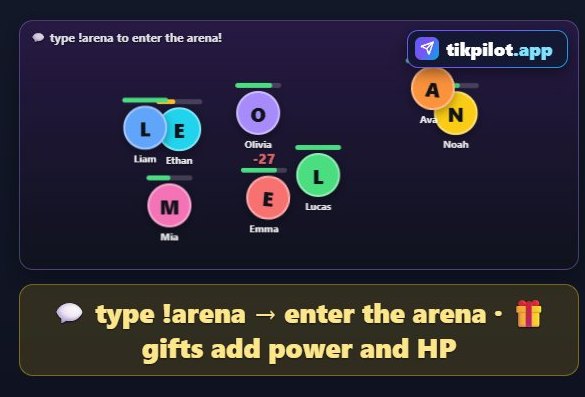
How to play
When a viewer types the join command, their avatar enters the arena (up to 20 players). Avatars clash every 2 seconds; gifts give an avatar power and health. The last avatar standing wins (it ends within 4 minutes).
How viewers join
- Comments
- Gifts
What you can set
Before you start it, you choose these in the panel:
- Join command
How to add it to your stream
- Sign up for TikPilot, add your TikTok username and pick a plan.
- In the panel, open Avatar Arena in the games list, choose its settings and start it.
- Add the link you are given to OBS as a browser source, or to TikTok LIVE Studio as a link source.
With pictures: How do you add games to a TikTok LIVE stream?
From the same group
👑 King of the ThroneThe viewer who sends the biggest gift takes the throne. Whoever beats it grabs the crown.🏁 Flag RaceViewers type a country name to join that country team. Likes push the flag a little, gifts push it a lot.🏁 Marble RaceViewers back a racer by typing its number (1, 2, 3…) or name.All gamesThe list of 49 games and stream widgets.
Want to see it on your own stream?
Sign up and add your TikTok username. Once you pick a plan, every tool opens in the same panel.
Stuck somewhere? Write to [email protected].
Last updated:
TikTok is a trademark of ByteDance Ltd. TikPilot is not affiliated with TikTok.