You're the Keeper
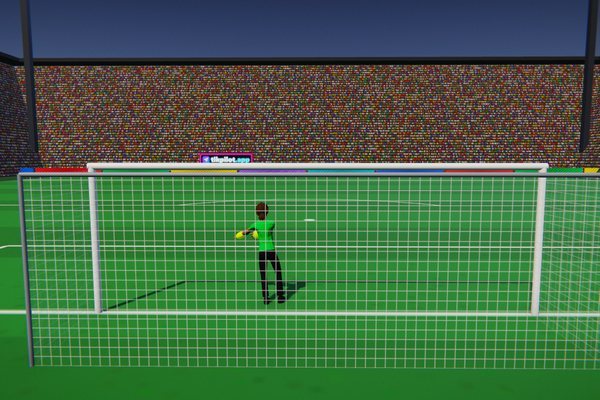
You're the Keeper is a 3D game the streamer plays with keyboard and mouse; viewers change the game by sending gifts.
How to play
The goal is yours in a night stadium: you move the cursor to where the ball is going, your gloves reach there and a left click throws a diving punch; in each stage you stop the rival strikers' shots without conceding more than allowed. Viewer gifts take a shot with their own name, curl it or blast it, send two balls at once, bring a downpour and start a shot storm, or send giant gloves, reflexes, a defensive wall with their name, a lucky post, a backup keeper and a VAR review. Power comes from the coins sent; likes and follows help too.
How viewers change the game
- Every TikTok gift falls into a tier by its coin value: small gifts have small effects, big gifts have big ones.
- Some gifts help the streamer, others make the job harder; the strength of each effect comes from the coins sent.
- Likes, follows and shares give a little help too.
- A big gift brings a special moment on screen with the sender's name and photo.
The game goes stage by stage; after the last stage a harder new season begins.
How to add it to your stream
- Sign up for TikPilot and add your TikTok username.
- In the panel, open You're the Keeper under Playable Games and press Play; the game opens in a new tab and connects to your viewers by itself.
- In TikTok LIVE Studio or OBS, add the game's window with Window capture. From the panel you can place the game full-screen vertical or in the lower part of the screen.
From the same group
Want to see it on your own stream?
Sign up and add your TikTok username. Once you pick a plan, every tool opens in the same panel.
Stuck somewhere? Write to [email protected].
Last updated:
TikTok is a trademark of ByteDance Ltd. TikPilot is not affiliated with TikTok.