Fireworks
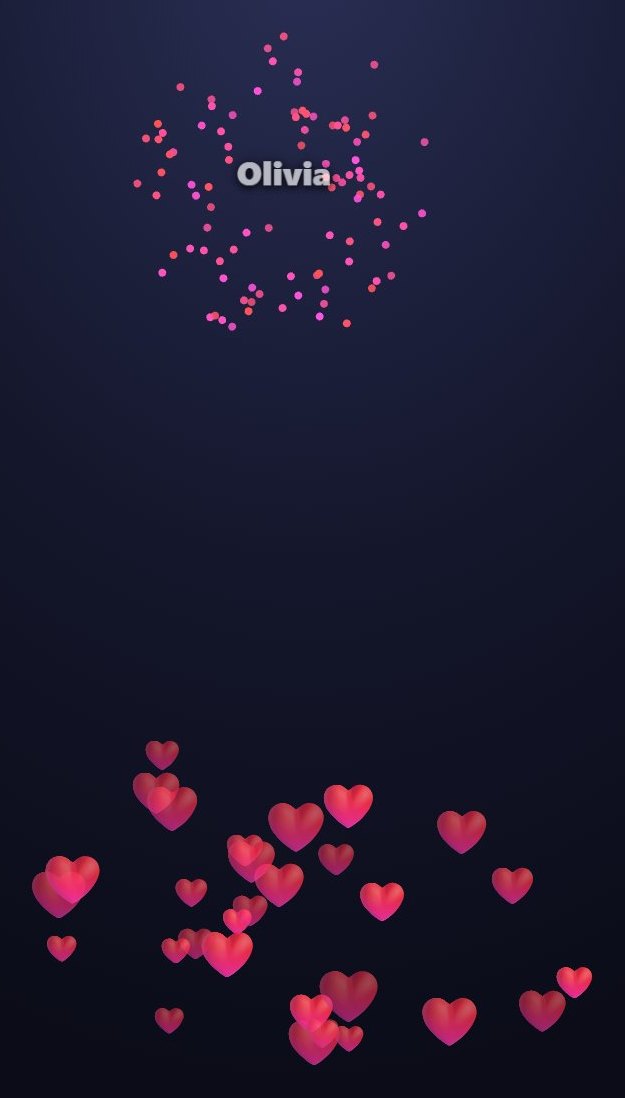
Fireworks is a stream widget that sits on top of a TikTok LIVE stream. It works with gifts and likes.
How it works
Every gift sets off a firework on screen; the bigger the gift, the bigger the burst, and the sender's name is written in the sky. Likes rise from the bottom of the screen as a fountain of hearts.
What it works with
- Gifts
- Likes
What you can set
Before you start it, you choose these in the panel:
- Minimum for a firework
- Sender's name
- Heart fountain on likes
- Burst sound
- Duration
How to add it to your stream
- Sign up for TikPilot, add your TikTok username and pick a plan.
- In the panel, open Fireworks in the games list, choose its settings and start it.
- Add the link you are given to OBS as a browser source, or to TikTok LIVE Studio as a link source.
With pictures: How do you add games to a TikTok LIVE stream?
From the same group
🎯 Goal BarSet a follow, share, coin or comment goal: the bar fills during the stream and celebrates when the goal is…⭐ Viewer PointsViewers earn points as they chat, like, follow, share and send gifts.🖼️ Image & Video AlertsUpload your own image, GIF or short video.👻 Jump ScareWhen the gift you picked arrives, a scary face jumps onto the screen with a scream.🎡 Lucky WheelWrite your prizes or dares on the slices.📊 PollWrite your question and 2-4 options. Viewers vote by typing 1, 2, 3 or 4.All gamesThe list of 49 games and stream widgets.
Want to see it on your own stream?
Sign up and add your TikTok username. Once you pick a plan, every tool opens in the same panel.
Stuck somewhere? Write to [email protected].
Last updated:
TikTok is a trademark of ByteDance Ltd. TikPilot is not affiliated with TikTok.