Gift Printer
Gift Printer is a game played together with viewers on a TikTok LIVE stream. Viewers join by sending gifts.
How to play
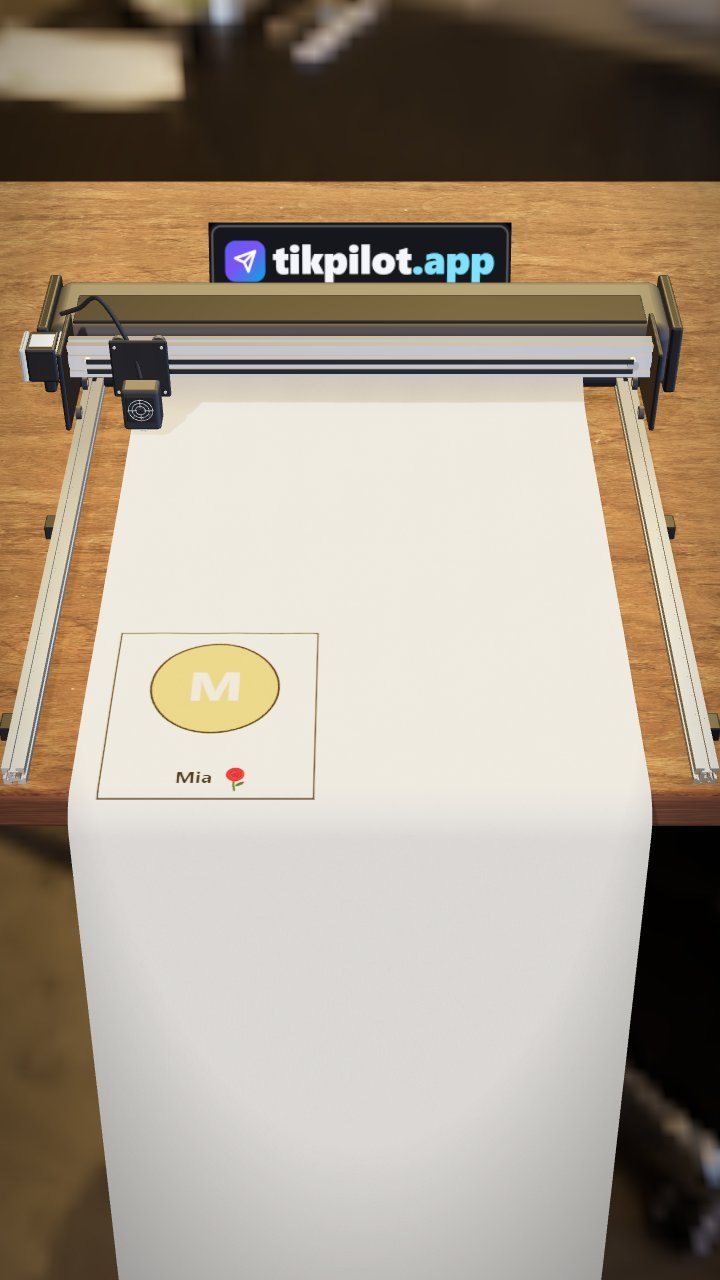
The printer on the desk prints every gift onto a paper card with the sender's name and profile photo. Small gifts get a small card, bigger gifts a gold-ring card, and very big gifts a wreath or a crowned TOP 1 card. Leave it on for the whole stream; cards line up on the paper coming out of the printer.
How viewers join
- Gifts
What you can set
Before you start it, you choose these in the panel:
- Smallest gift to print
- Print sound
How to add it to your stream
- Sign up for TikPilot, add your TikTok username and pick a plan.
- In the panel, open Gift Printer in the games list, choose its settings and start it.
- Add the link you are given to OBS as a browser source, or to TikTok LIVE Studio as a link source.
With pictures: How do you add games to a TikTok LIVE stream?
From the same group
Want to see it on your own stream?
Sign up and add your TikTok username. Once you pick a plan, every tool opens in the same panel.
Stuck somewhere? Write to [email protected].
Last updated:
TikTok is a trademark of ByteDance Ltd. TikPilot is not affiliated with TikTok.