Piggy Bank
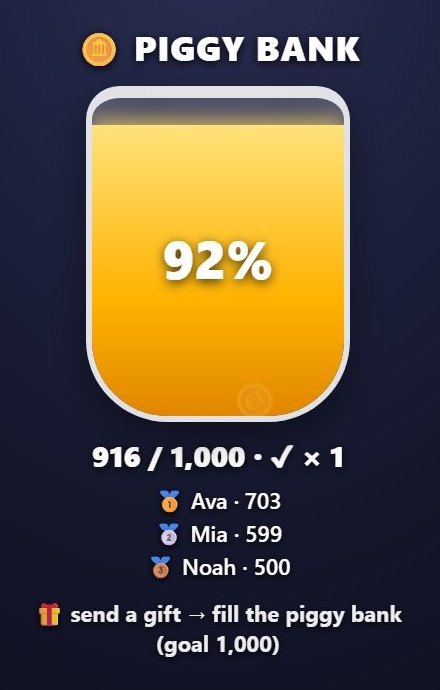
Piggy Bank is a stream widget that sits on top of a TikTok LIVE stream. It works with gifts.
How it works
Every gift drops into the piggy bank as coins and adds up. When the goal is reached the piggy bank overflows; it can start again if you like. The three viewers who filled it the most appear next to it.
What it works with
- Gifts
What you can set
Before you start it, you choose these in the panel:
- Title
- Goal
- When the goal is reached
- Duration
How to add it to your stream
- Sign up for TikPilot, add your TikTok username and pick a plan.
- In the panel, open Piggy Bank in the games list, choose its settings and start it.
- Add the link you are given to OBS as a browser source, or to TikTok LIVE Studio as a link source.
With pictures: How do you add games to a TikTok LIVE stream?
From the same group
🎆 FireworksEvery gift sets off a firework on screen; the bigger the gift, the bigger the burst, and the sender's name…🎯 Goal BarSet a follow, share, coin or comment goal: the bar fills during the stream and celebrates when the goal is…⭐ Viewer PointsViewers earn points as they chat, like, follow, share and send gifts.🖼️ Image & Video AlertsUpload your own image, GIF or short video.👻 Jump ScareWhen the gift you picked arrives, a scary face jumps onto the screen with a scream.🎡 Lucky WheelWrite your prizes or dares on the slices.All gamesThe list of 49 games and stream widgets.
Want to see it on your own stream?
Sign up and add your TikTok username. Once you pick a plan, every tool opens in the same panel.
Stuck somewhere? Write to [email protected].
Last updated:
TikTok is a trademark of ByteDance Ltd. TikPilot is not affiliated with TikTok.